
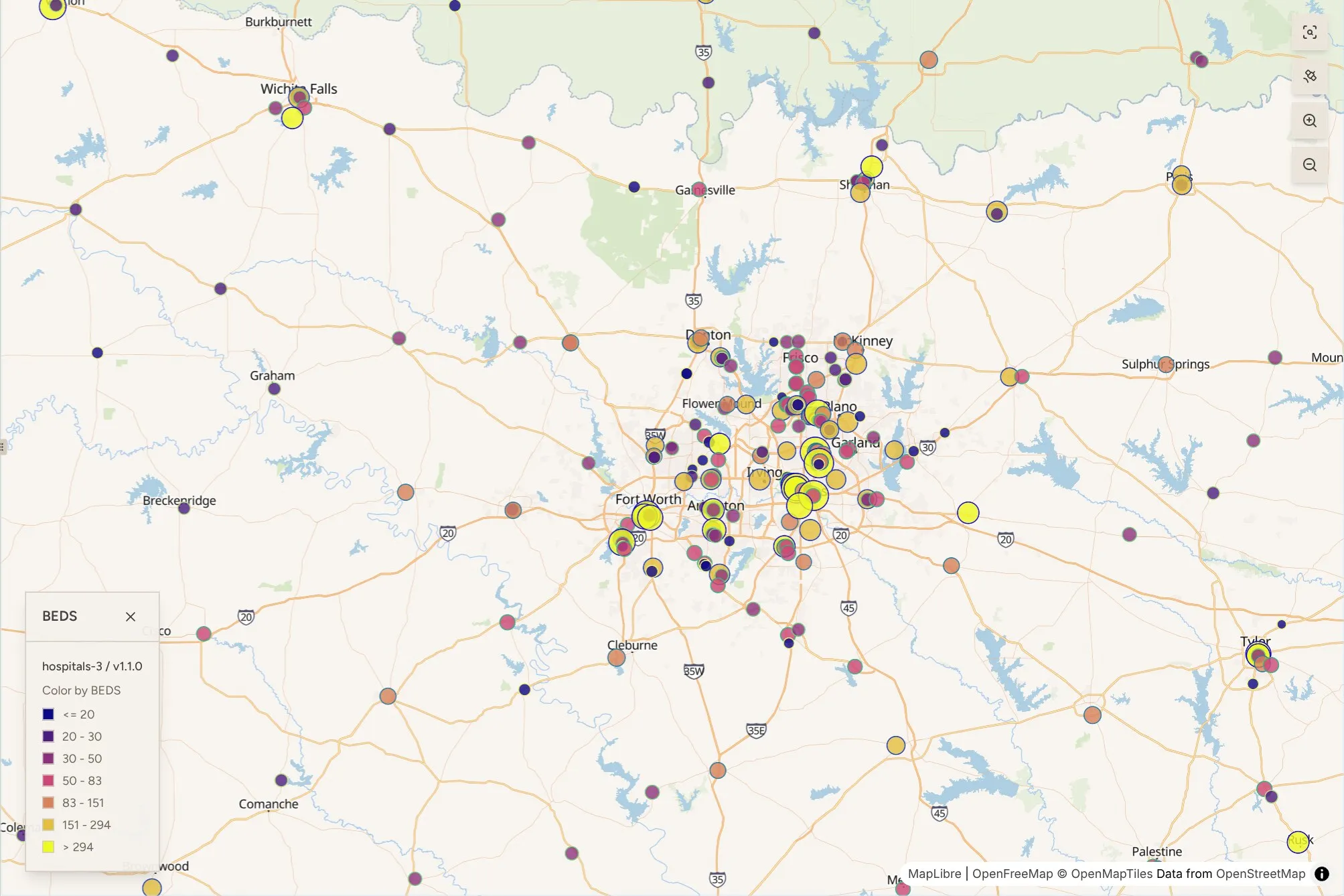
The copy of the HIFLD Open hospital layer we preserved lists 338 beds at 6200 W Parker Rd in Plano, Texas. The version we just published lists 203.
That one record is a fair summary of the problem with the HIFLD hospital data. The layer covers 8,340 facilities across the 50 states, Washington D.C. and the US territories, and it was known among HIFLD Open users for inaccurate coordinates and unreliable attributes well before DHS shut the portal down in 2025. There was also no way for anyone who found a bad record to report it. When the portal went offline, the last snapshot became the version everyone kept using.
Version 1.1.0 of the Hospital layer is now live on HIFLD Next. It includes updated bed counts and refreshed facility-level attributes, built from source data issued on April 6, 2026. The update was done with support from Niyam IT and the Digital Public Goods Network (DPGN), with funding from the MacArthur Foundation.
Publishing a new version raised a question we had to answer first. If a layer changes, how does someone who relied on the old one figure out what is different, and whether to trust it?
Where this started
On April 23, we ran a World Café session at FedGeoDay, held at the U.S. Census Bureau headquarters in Suitland, Maryland. Participants from federal and state agencies, universities, nonprofits and private companies rotated between three tables. Jessica Breen of American University, Frank Donnelly of Brown University and the Data Rescue Project, and Jennifer Sims of Niyam IT facilitated.
Data quality came up at all three tables, and former HIFLD Open users singled out the hospital layer. So did the way experienced users check any new dataset: they distrust it a little, regardless of who published it, and spot-check it before using it. One participant from the Census Bureau said the first thing they would do is look at an area they already know. Others described pulling up satellite imagery or Street View to see whether a point lands on the building it claims to be.
Three requests came out of those conversations. People wanted to compare versions of a layer side by side, to cross-check records against imagery without leaving the page, and to have a way to report problems. They also asked that the data be usable by AI agents, since more of them are starting their analysis that way. We built toward all of it over the summer, and the hospital layer is the first place it comes together.
Comparing two versions
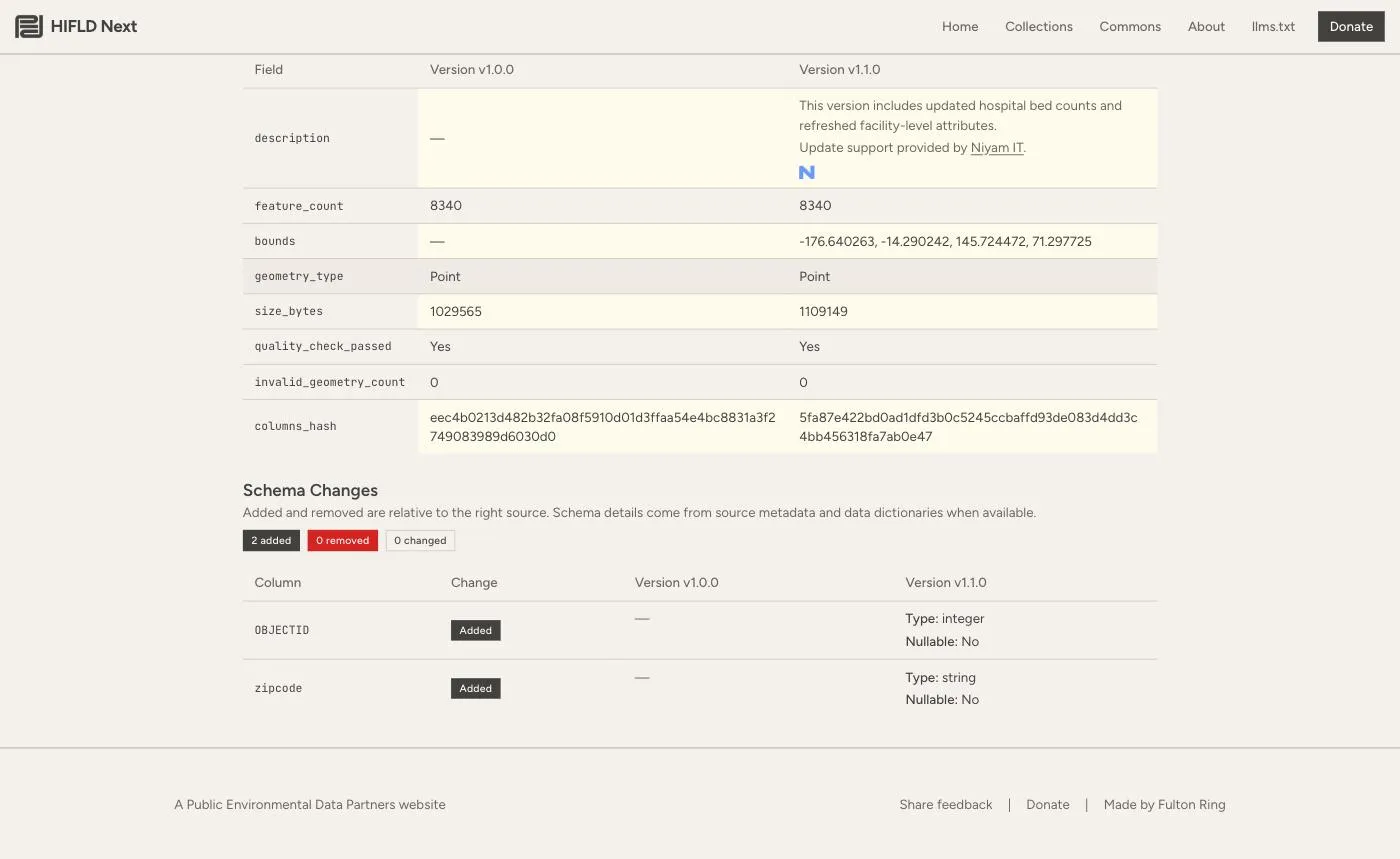
Every file page in HIFLD Next now has a Compare versions link. Pick any two versions and the page shows what changed in the file’s metadata and in its schema.
For the hospital layer, the feature count is the same in both versions (8,340), and the schema diff shows two new columns in v1.1.0: OBJECTID and zipcode. Nothing was removed or retyped. If you have a script that reads this layer, that tells you it will keep working.
Comparing individual hospitals
Schema changes are the easy part. The harder question is which records changed and how.
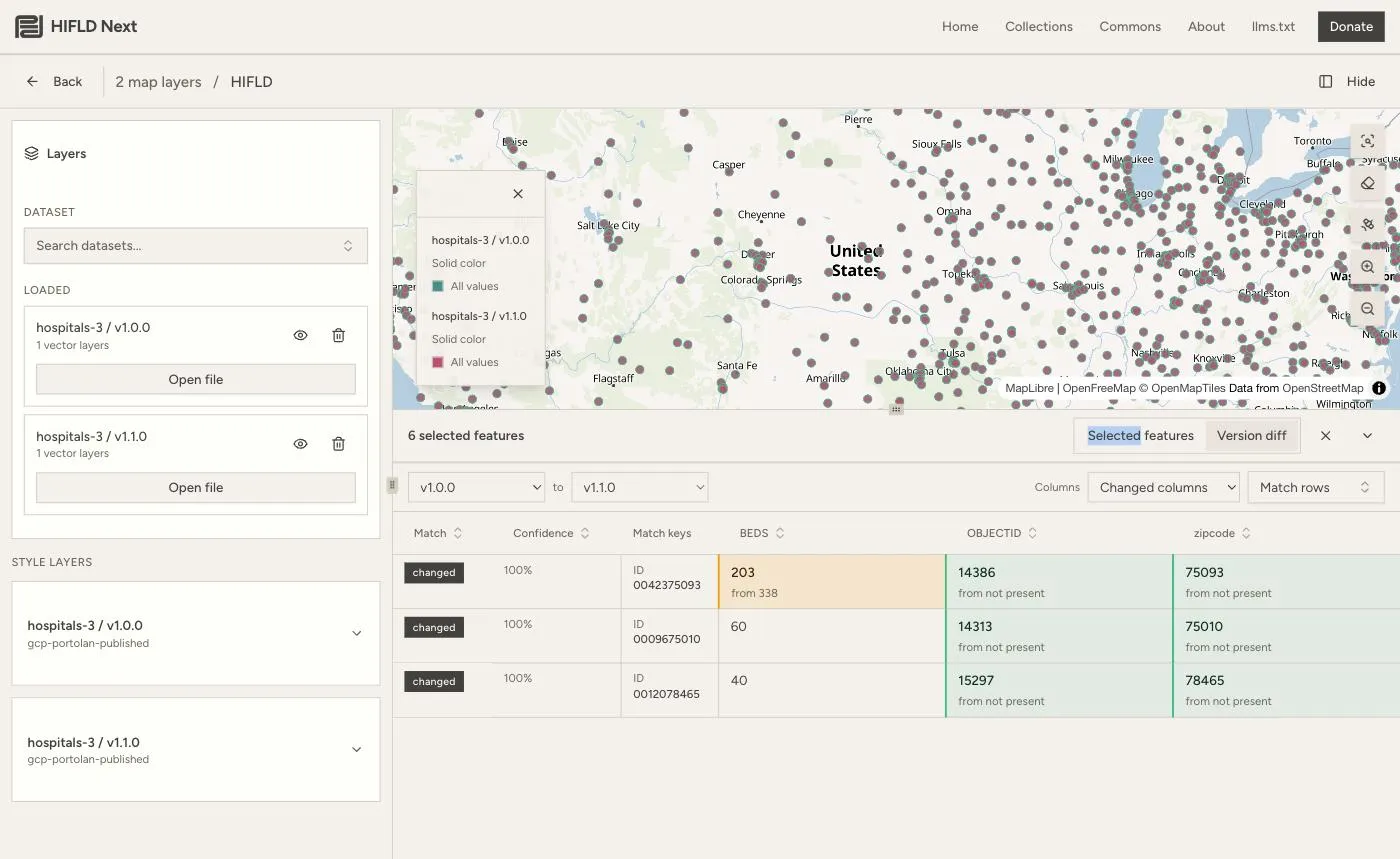
From the compare page, Open versions in map loads both versions as separate layers on one map. Select a few points, or draw a box around a city with the highlight tool, and open the Version diff tab. HIFLD Next matches each hospital across the two versions by its ID and shows only the columns that changed, with the old value under the new one.
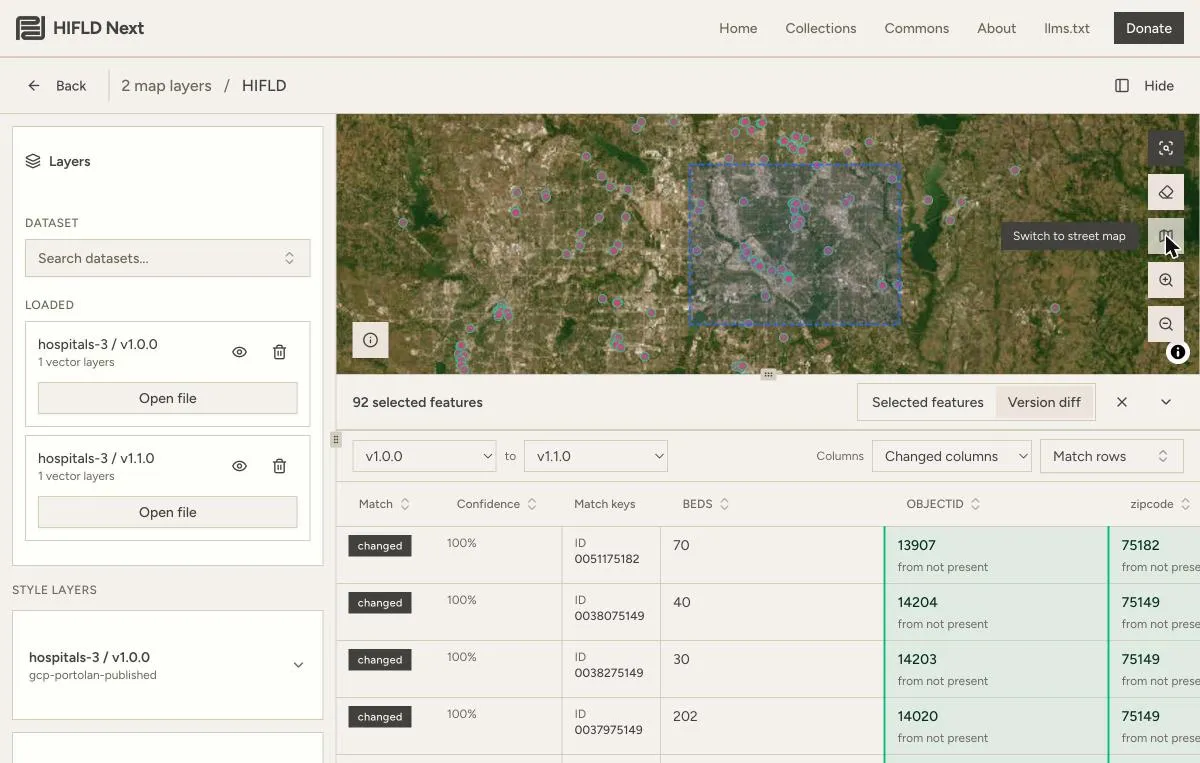
That is where the Plano record shows up: BEDS 203, from 338. Drawing a box over central Dallas selects 92 features across the two versions, and the diff lists each matched hospital with its changes.
The matching key is configurable. If a future version renames or drops the ID column, you can match on a different field instead.
Checking a record against the ground
A diff tells you what changed in the data. It does not tell you which value is right. For that, you need to look at the place itself.
The map now has a satellite imagery toggle, so you can see whether a point sits on a hospital building or in a parking lot two blocks away. Each feature also has a menu with a link that opens its location in Google Maps, and a Report issue option. If a record is wrong, you can tell us from the same screen where you found the problem, which is the feedback loop HIFLD Open never had.
What is next
The hospital layer is the first HIFLD layer we have updated, and the version tools are the reason we were comfortable doing it. Every one of the 400-plus layers in the collection can now carry more than one version. The old versions remain available, so anyone who built work on them can still reproduce it.
If you work with hospital data and see a record that looks wrong, please use Report issue on the hospital map. If you have an updated source for another HIFLD layer, we would like to hear about it through the Commons page.